
A common problem
AI coding tools are easy to turn on and hard to price while you work. Chat, autocomplete, and agents all spend — often on different models, often at the same time. By the time a plan is empty or extra charges spike, the work that caused it is already done.
Provider dashboards and editor usage screens each tell part of the story. None of them give you one working picture of this month while you can still change course.
-
Late by design
An invoice is a postmortem. It starts an argument. It does not change this week.
-
Split pictures
The editor has a meter. The vendor has a bill. What you spent on which model, and where this month is headed, live in neither.
-
What actually helps
Spend so far, a credible projection, prices you can set yourself — labeled as estimates, not the invoice.
How Aura Wire helps
Aura Wire started here. We wanted estimated spend on this machine, this month — not a PDF after the tokens had already left.
Aura Wire sits between your editors and the AI services they call. What it observes becomes a cost view on your Windows PC. Prompts and answers are not stored.
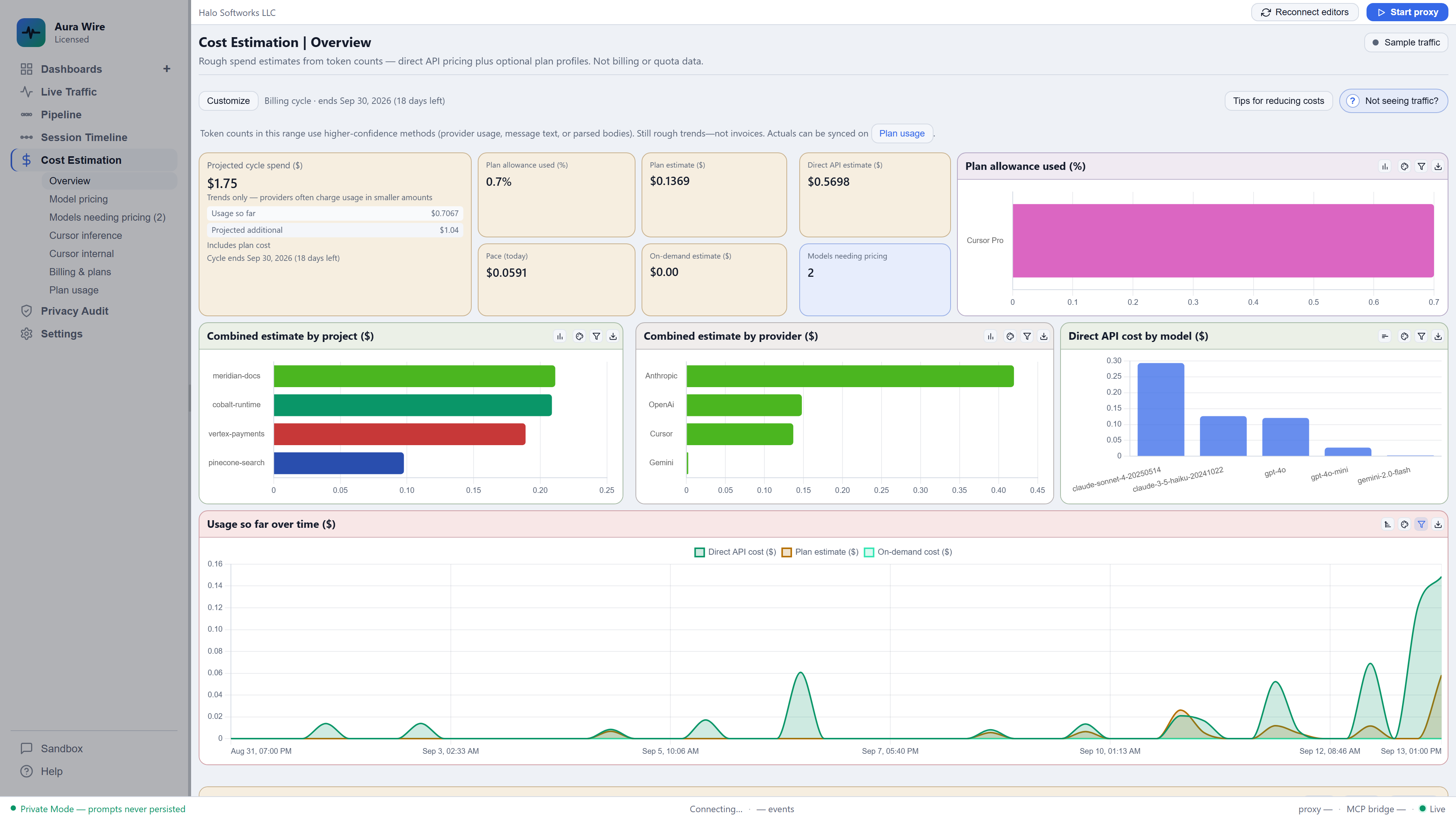
- This-month spend so far, plus a projection through month-end
- Room to enter your plan balance and set per-model prices yourself
- Optional daily budget alerts on your machine — not another cloud usage product
Seeing the spend is the first step. If you later want to cut it, Wire can compress repeated context or send cheaper work elsewhere — those start off until you choose.
Try Aura Wire
AI chat for VS Code with a local command center behind it. Free to try. Add the Windows desktop command center for extra screens and Host controls.
Windows installer — the .exe will not run on Mac, Linux, phones, or tablets. Open the download on a Windows PC.
Digitally signed by Halo Softworks
Prefer the setup download from this site. Verify this download · Download security