
What goes wrong
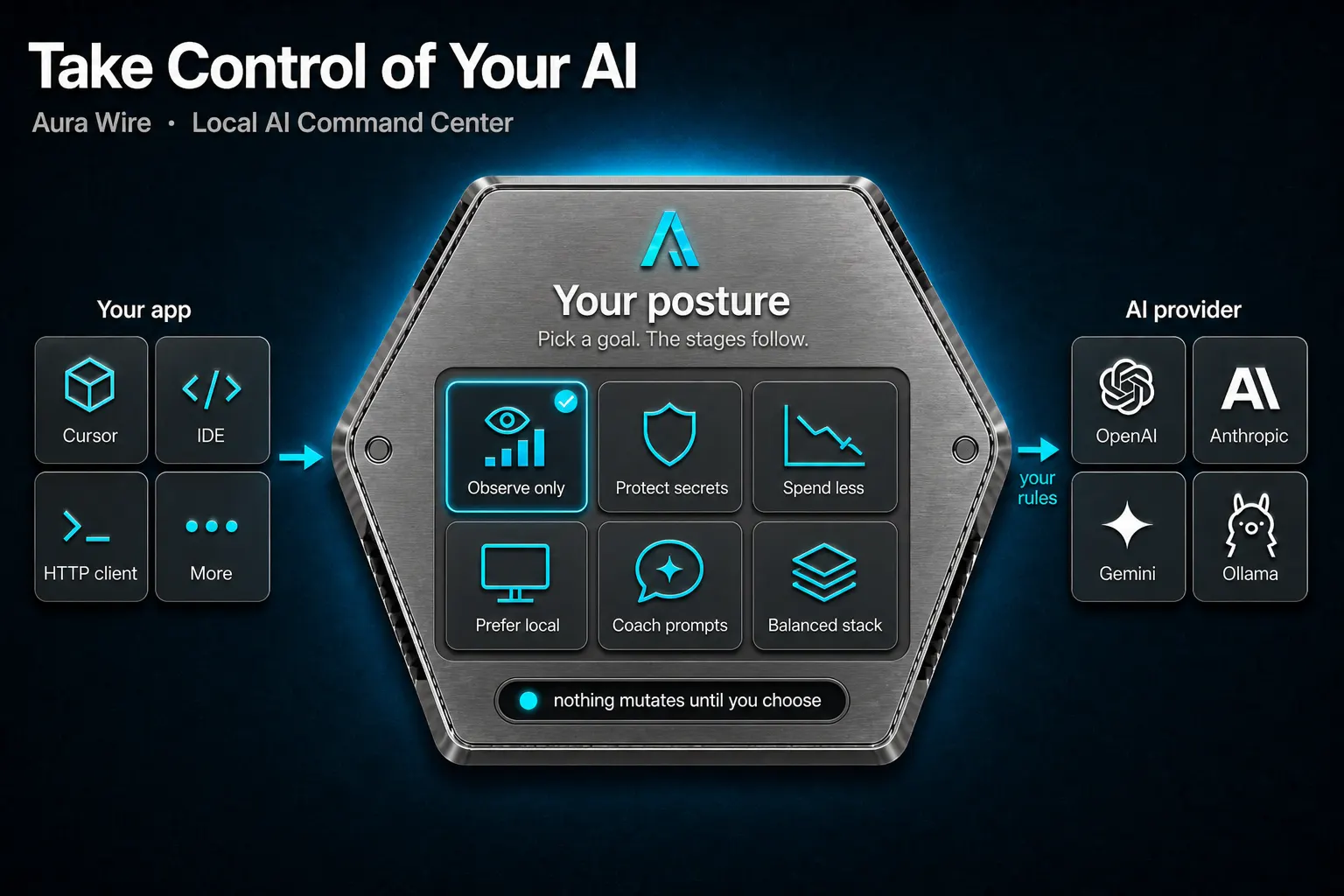
You installed the editor. You wrote the prompt. The requests still leave with someone else's defaults — which model, how much repeated context, whether a secret rides along.
A dashboard can make that visible. Visibility is not the same as having a say. You can watch the stream and still be along for the ride.
Why it matters
AI coding tools behave like a second operator on the machine. If policy lives only in each editor, you reconfigure every client when you change your mind. If it lives nowhere, the default is send it.
What good looks like
Pick an outcome. Observe only — see traffic, change nothing. Protect secrets. Spend less. Prefer a local model. Coach the prompts. Or a balanced stack.
The stages follow the goal. You do not have to become a pipeline engineer every time you change your mind. And the honest default is still observe: nothing mutates until you choose.
How Aura Wire helps
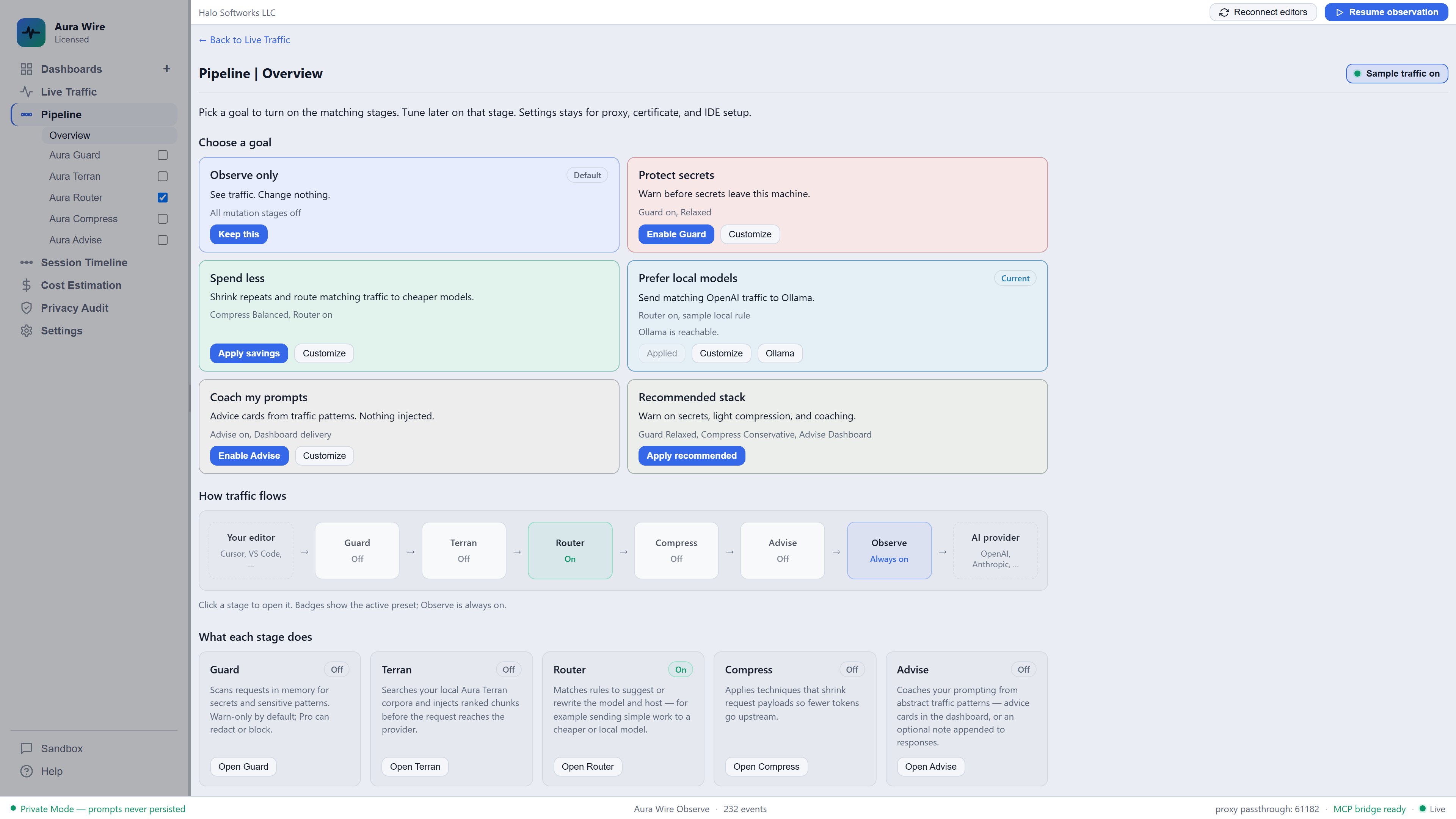
Aura Wire sits between your editors and AI providers. During the trial or with Observe ($39 after trial), observation runs continuously. Mutation stages start off. Pipeline Overview is where you pick a goal and the matching stages turn on with safe presets.
- Observe by default when licensed — see traffic, change nothing
- Pick a goal when you want a say: secrets, spend, local models, or coaching
- Tune a stage later without rebuilding editor settings
- Prompts stay off disk
Try Aura Wire
AI chat for VS Code with a local command center behind it. Free to try. Add the Windows desktop command center for extra screens and Host controls.
Windows installer — the .exe will not run on Mac, Linux, phones, or tablets. Open the download on a Windows PC.
Digitally signed by Halo Softworks
Prefer the setup download from this site. Verify this download · Download security